You can do pretty much what you like with your result: create signatures with name added, extras or stats, websets. Give all the credits that are required and for the tut to: Martine (link to http://chezmartine.com) for PSP 4 ALL (link to http://psp4all.com).
 Scrapkit: Sassy's Christmas par Sassy Dede. Download here. Mask: WSL_Mask84 on Chelle's blog: Weescotslass Creations. Download ici. Plugins: Eye Candy 4000 - Gradient Glow. Fonts: Santa Sleigh for the text & Pixelette for the credits. You can download my E-Book which will let you work without being connected. 
STEP 1 : Masque, Eléments et Tube Drop shadow: I used
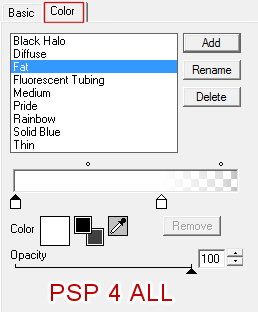
Open a transparent image 680x570. Fill with #390102. Add a layer and fill with white #FFFFFF. Open the mask WSL_Mask84 and apply. Then delete. SDSC-Element Xmas - 50%. Top, a bit towards the right. See my tag. SDSC-Balls (15) - 65%. On the left. SDSC-Tag (2) - 25%. Image > Mirror. SDSC-Wealth - On top of the clock. SDSC-Ribbons (2) - Top of the wreath. SDSC-Tree (9) - 45%. On the left. SDSC-Tree (10) - 65%. Place on the tree then delete the stars you don't need at the top and on the sides. SDSC-Gifts (13) - On the left. SDSC-Gifts (7) - 20%. Bottom, left. SDSC-ElementWOA - 50%. On the left. SDSC-Gifts (1) - 65%. On the right. SDSC-Balls (14) - 70%. Bottom. SDSC-Candle (2) - 22%. On the left. SDSC-elf - 20%. Image > Mirror. Left, foot on present. Add the tube, on the right. SDSC-Deer (4) - 4%. On the"A" of Christmas. SDSC-Balls (16) - 45%. Bottom right. SDSC-Dog (2) - 30%. Bottom, right. STEP 2: Texts and Credits Texte : Hi or text of your choice usint the font Santa Sleigh, colour #000000. Apply Eye Candy > Gradient Glow.
|