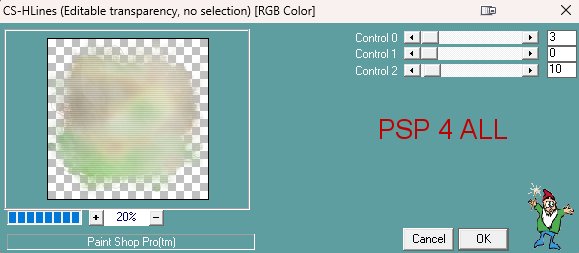
Scrapkit: Muguets freebie by Mariel of Mariel's Designs. Download here. Mask: Miz-Mask292. Télécharger ici. Do visit her website here= Mizteeques Masks. Plugins: Carolaine & Sensibility > CS-HLines Mura's Meister > Copies Eye Candy 4000 > Gradient Glow STEP 1 - Elements and Tube Open an image 800x800. Fill with white. Add a layer and fill with MD-PAPER 5. Open Miz_Mask292. Layers > New Mask layer > From an image and select Miz_Mask292. Click on OK. Layers > Merge group. Image > Resize 110%. Move a tiny bit downwards. Apply Carolaine & Sensibility > CS-HLines
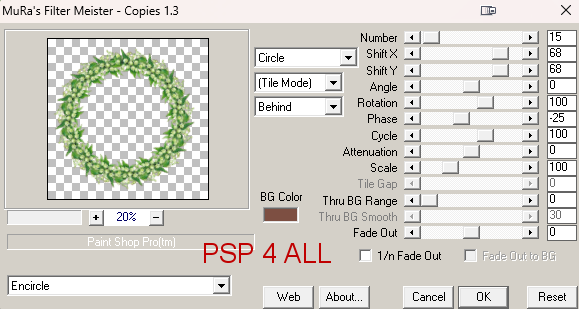
Open MD-2. 40%. Rotate right 25°. Objects > Align > Center on Canvas. Apply Mura Meister > Copies > Encircle.
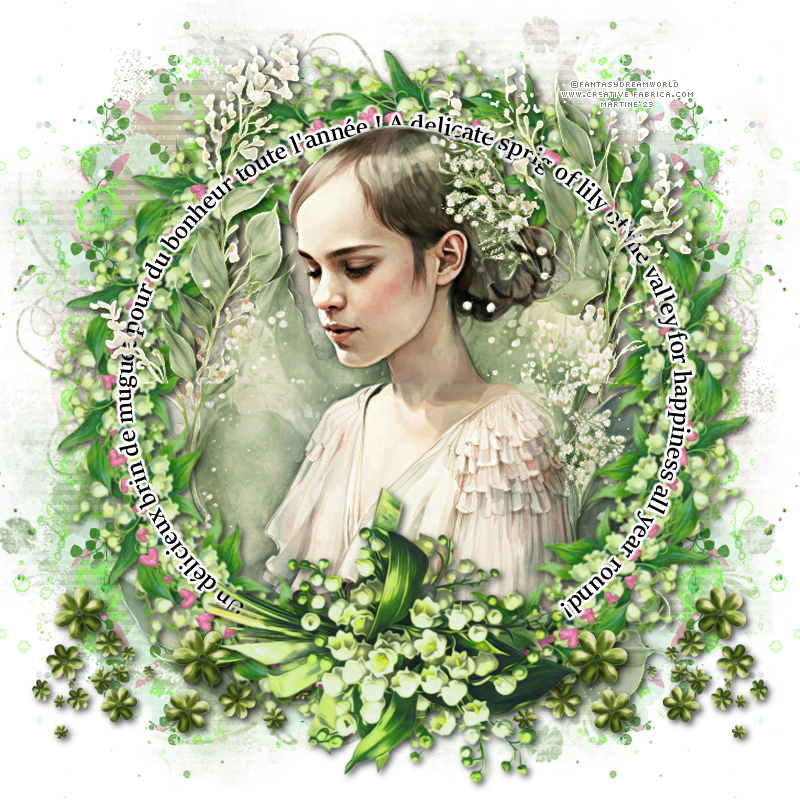
Paste MD-FRAME 1 As New Layer. 105%. Objects > Align > Center on Canvas. Paste MD-24 As New Layer, top, left, above the white background. Duplicate > Mirror. Layers > Merge > Merge Down. Duplicate. Image > Mirror Vertical. Add the tube. Paste MD-3. 60%. Rotate right 130°. MD-34 - 50%. Right. Layerss > Arrange > Move Down. Duplicate. Image > Mirror Vertical. ETAPE 2 - Text and Credits *** Text - Un délicieux brin de muguet pour du bonheur toute l'année ! - A delicate sprig of lily of the valley for happjness all year round! or one of your choice. Font = SilkaBanner Semibold. Preset Shpe Tool. Select the Ellipse - anti-alias, create On Vector, width 2. Black for Foreground and Background and close the background.
Draw a circle. Place it as close as you can to the middle of the Lily Of The Valley wreath - See my result above. Objects > Align > Center on Canvas. Text tool - font of your choice or SilkaBanner Semibold, anti-alias and on Vector. Open the background color and close foreground. Place your cursor at the top on the ellipse. It will change shape to become either this  - A
under a curve or this - A
under a curve or this
 - T
under a curve. - T
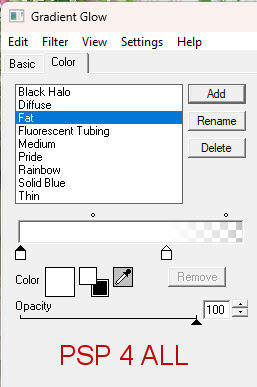
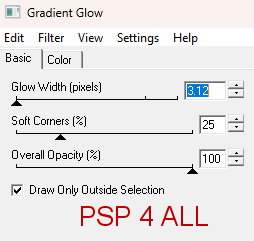
under a curve.Click on the ellipse and write your text. The text will display along the path of the ellipse. In your Layers palette, open the vector layer. There are 3 layers. Close the circle. Right click on the vector text (top layer) and convert to Raster layer. Apply Eye Candy 4000 > Gradient Glow.
*** Credits: with a pixel font like Pixelette or any other small font. Martine 25 April 2023 If you have any questions, don't hesitate to contact me   |