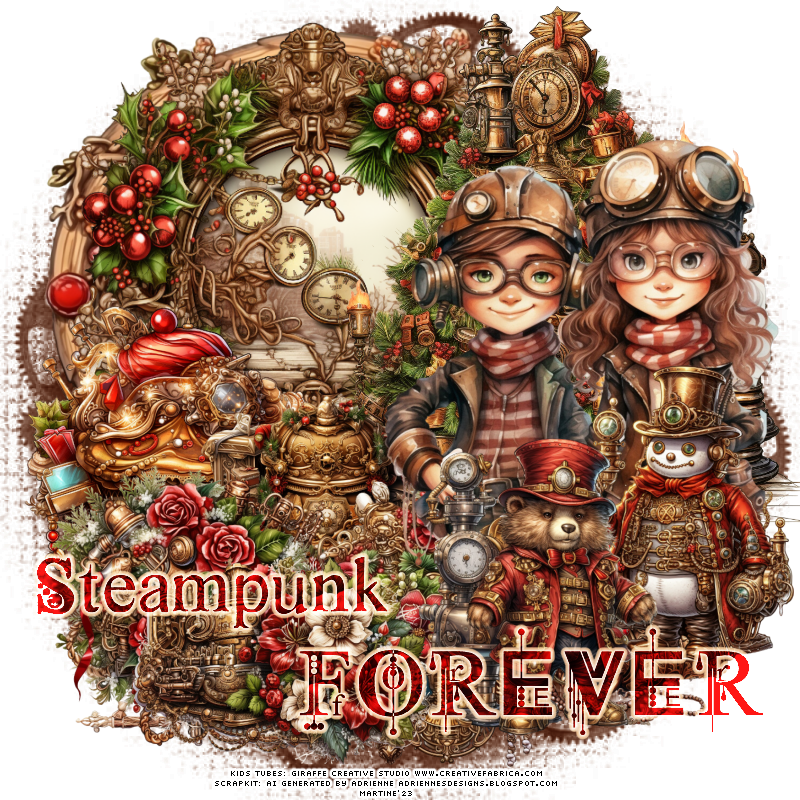
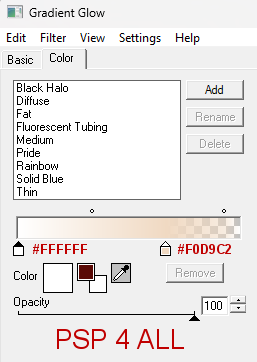
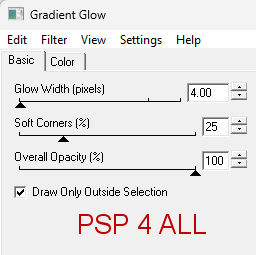
Scrapkit:Classic Steampunk Christmas by Adrienne's Designs. An AI kit in the December category here. Mask: BBD_MASK 2015_326 by Babs C at Bitzy Beez Designz. Download here. Wordart: Steampunk wordart by Janeann at Creative Misfits Creations. Download the Steampunk Goodies pack here. Plugin: Eye Candy 4000 > Gradient Glow. Fonts: Pixelette for the credits. STEP 1 - Mask 1.Open an image 800 x 800. Fill with white. 2. Add a layer. Fill with #692C0E. 3. Selections > Select All. 4. Open mask BBD_MASK 2015_326. 5. Layers > New Mask layer> From an image. Select BBD_MASK 2015_326. OK. 6. Layers > Merge Group. 7. Duplicate and set the copy on Multiply. 8. Layers > Merge down. STEP 2 - Elements and Tube 9. Classic Steampunk Christmas Frame (1) - 75%%. Top, left. 10. Classic Steampunk Christmas Element (10) - 90%. Center in the middle of the Frame(1). 11. Classic Steampunk Christmas Element (31). Right. 12. Classic Steampunk Christmas Element (141) - 55%. Left. 13. Classic Steampunk Christmas Element (145) - 55%. Bottom, toward the middle of the frames. 13. Classic Steampunk Christmas Element (14) - 55%. Left. 14. Classic Steampunk Christmas Element (19) - 55%. 15. Classic Steampunk Christmas Element (27) - 55%. 16. Classic Steampunk Christmas Element (26) - 55%. 17. Ajouter le tube. A droite. 18. Classic Steampunk Christmas Element (109) - 55%. Image > Mirror. Right, bottom. 19. Classic Steampunk Christmas Element (105) - 55%. Image > Mirror. ETAPE 3 - Wordart. 20. I chose Steampunk and Forever. I colored with #800C0B. 21. I applied Eye Candy 4000 > Gradient Glow. Fat, Glow Width 4.00
Ma rtine1 November 2023 If you have any questions, don't hesitate to contact me   |