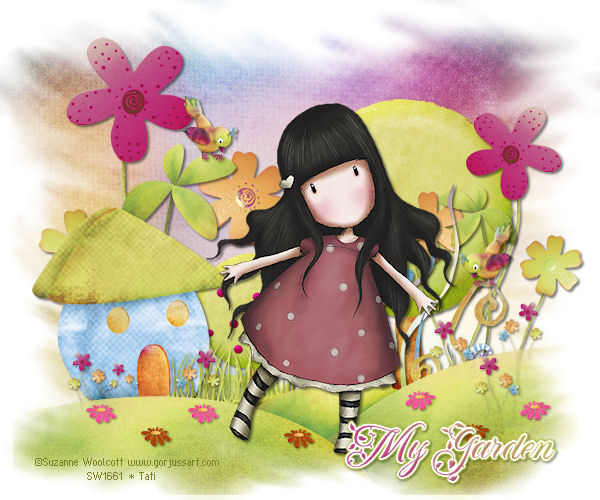
Supplies
PSPX2 (will work in other versions).
Scrap "Mon Petit Jardin " by Maelia Designs
- download here.
1 Mask: My own - nº 7 - download
here.
Tube of your choice. I used a tube ©Suzanne Woolcott,
If using the same tube, first get a license
here
Font of your choice. I used "FleurDeLeah".
Plugins Eye Candy 4000/Gradient Grow.
Drop Shadow for the tube and the elements 2/2/50/3.
Drop Shadow for the small elements 1/1/50/3?

Open an image 600x600 and fill with
white.
Open the paper "MaeliaDesigns_MonPetitJardin_Papers (2)", resize
to 17%, add a new layer and fill with this paper.
Apply the mask "TD_Mask_007".
In your layer palette, click on the mask layer and
right-click > Delete. And say yes when asked if you want
this mask merged into the layer below it. Layers > Merge
group.
Open "MaeliaDesigns_MonPetitJardin_Elements (1)",
resize to 15% and copy paste as a new layer. Place at the
bottom, align with the mask layer (see my result).
Apply the "TD_Mask_007" mask.
In your layer palette, click on the mask layer and
right-click > Delete. And say yes when asked if you want
this mask merged into the layer below it. Layers > Merge
group.
Open "MaeliaDesigns_MonPetitJardin_Elements (8)"
and resize to 10%, copy paste as a new layer and place
above the mask layer and to the right.
Open "MaeliaDesigns_MonPetitJardin_Elements (10)"
and resize to 8%, copy paste as a new layer and place on
the left.
Open "MaeliaDesigns_MonPetitJardin_Elements (2)"
and resize to 10 %, copy paste as a new layer and place on
the left.
Open "bc_mygarden_deco2" and
resize to 45%, copy paste as a new layer. Image >
Mirror and place at the top on the right.
Activate the mask layer then add these
elements.
Open "MaeliaDesigns_MonPetitJardin_Elements (11)"
and resize to 15%, copy paste as a new layer and place on
the right.
Open "MaeliaDesigns_MonPetitJardin_Elements (5)"
and resize to 15%, copy paste as a new layer and, Image >
Mirror and place on the right.
Open "MaeliaDesigns_MonPetitJardin_Elements (6)"and
resize to 10%, copy paste as a new layer and, Image >
Mirror and place on the right
Open "MaeliaDesigns_MonPetitJardin_Elements (5)"
and resize to 20%, copy paste as a new layer and place on
the left.
Open "MaeliaDesigns_MonPetitJardin_Elements (6)" rand
resize to 15%, copy paste as a new layer and place on the
left.
Open "MaeliaDesigns_MonPetitJardin_Elements (9)"
and resize to 5%, copy paste as a new layer and place on
the left in between the house and the tree (see my final
result).
Open "MaeliaDesigns_MonPetitJardin_Elements (5)"
and resize to 2% and 3%, copy paste as a new layer in
front of the house and where you want.
Open "MaeliaDesigns_MonPetitJardin_Elements (4)",
colorize the petals if you want and resize to 3%, copy
paste as a new layer, place on the grass and duplicate as
many times as you wish and place here and there.
Copy and paste your tube as a new layer
and apply a drop shadow.
Write the text "My garden (or
if you prefer your name). Apply an Inner Bevel -
Effects/Effects 3D/Inner Bevel" with these settings:

Apply the plugin "Eye Candy 4000/Gradient Grow"
with these settings:

Add your credits and save as an optimized
jpg. |